
I tried claiming my business in ChatGPT. Here’s what it asks for.
On November 10, OpenAI opened a beta that lets businesses claim a listing in ChatGPT, a bit like a Google Business Profile for AI answers. Two days later, I went through it for Ruley Consulting. Claiming took about 20 minutes. Finishing it would have meant handing over a photo ID, a home address and a Social Security number, so I stopped. Here’s what the process looks like, what you get and how to decide whether it’s worth it for your business.
What Businesses in ChatGPT is
The program, which OpenAI calls Businesses in ChatGPT, gives you a Business Hub where you can claim your business, keep its details current and see how often ChatGPT mentions you (Search Engine Roundtable). It includes:
- Mentions and website clicks: how often ChatGPT names your business and how often people click through to your site.
- Discovery topics: the kinds of conversations where your website gets cited.
- A business agent: an AI that answers customers’ follow-up questions about what you offer. For now it’s limited to eligible ecommerce and online service businesses in the US.
Claiming is free. The Hub also promotes ChatGPT ads and a paid ChatGPT Business plan, but neither is required.
Eligibility is still settling. BrightLocal reports that service-area businesses aren’t covered yet, but I was still able to create a draft listing for an online service business.
How the claim went
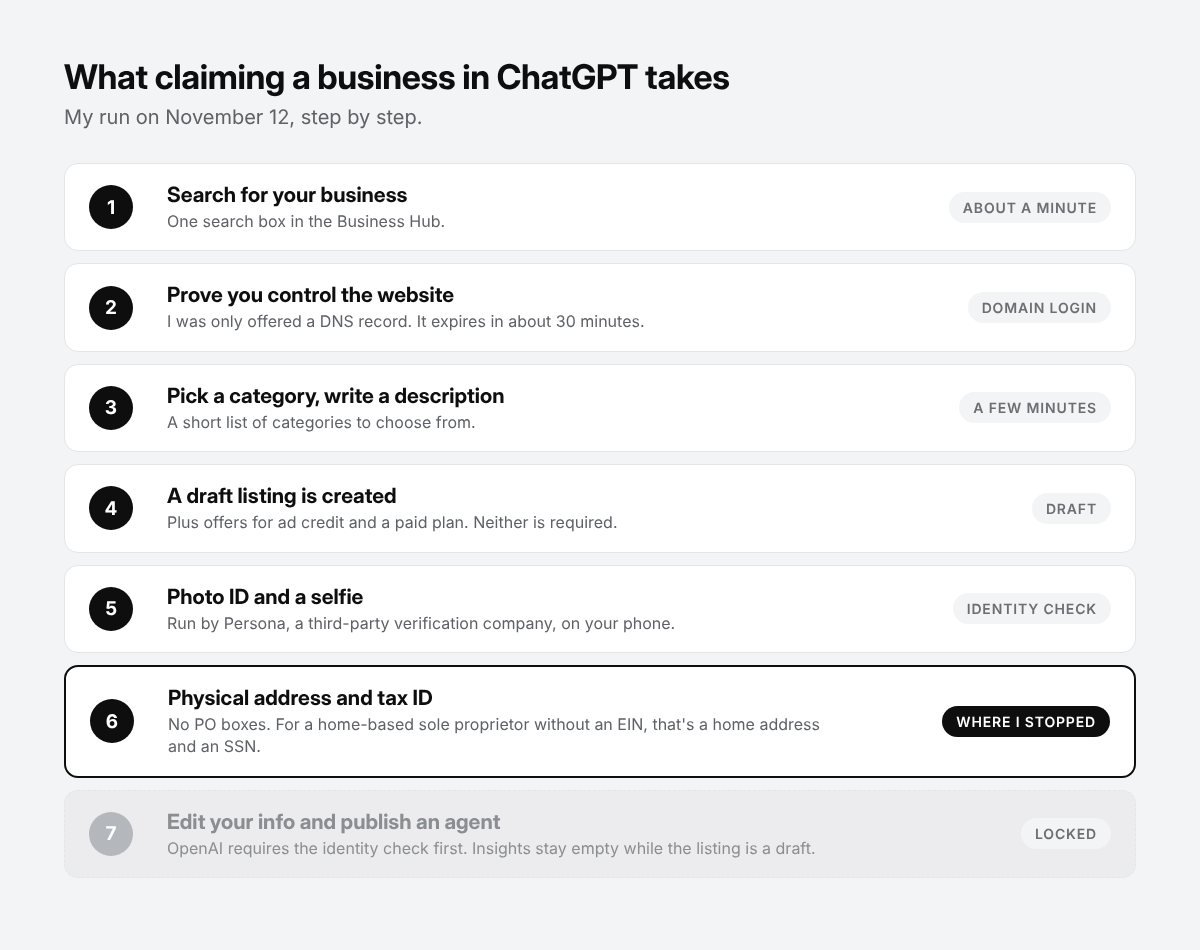
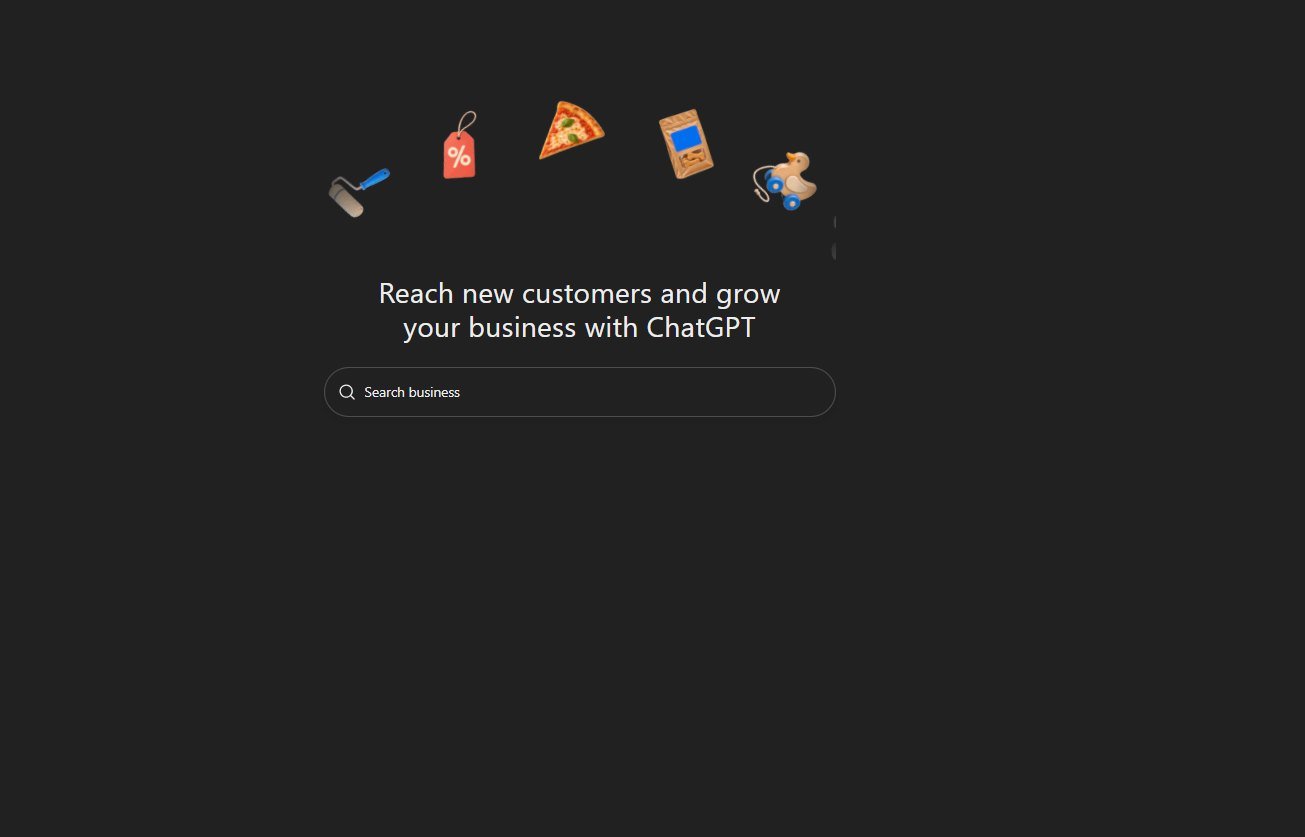
1. Search for your business. The Business Hub opens with a single search box: “Reach new customers and grow your business with ChatGPT.” You search for your business and select it to get started.
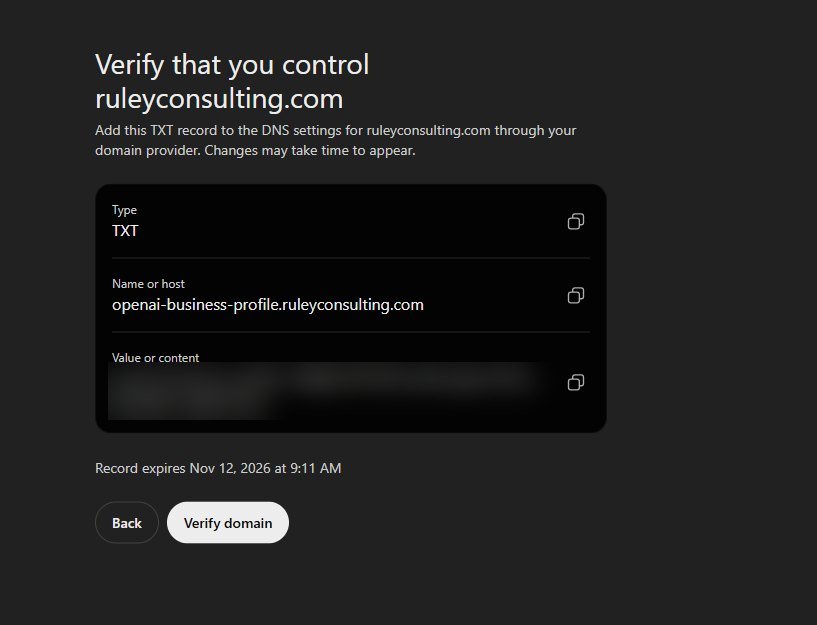
2. Prove you control the website. Other businesses report options like a code sent to the business phone or email. I was only offered one: adding a TXT record to the domain’s DNS settings. The record expires after about 30 minutes, so have your domain login ready before you start. If it expires, you can go back and get a new one. Mine showed up in public DNS within a few minutes of saving it.
3. Pick a category and write a description. The category list is short. For a marketing consultant, the choices were business consultant, strategy consultant and marketing agency. Pick the one closest to what customers will actually ask ChatGPT for, then let your description say exactly what you are.
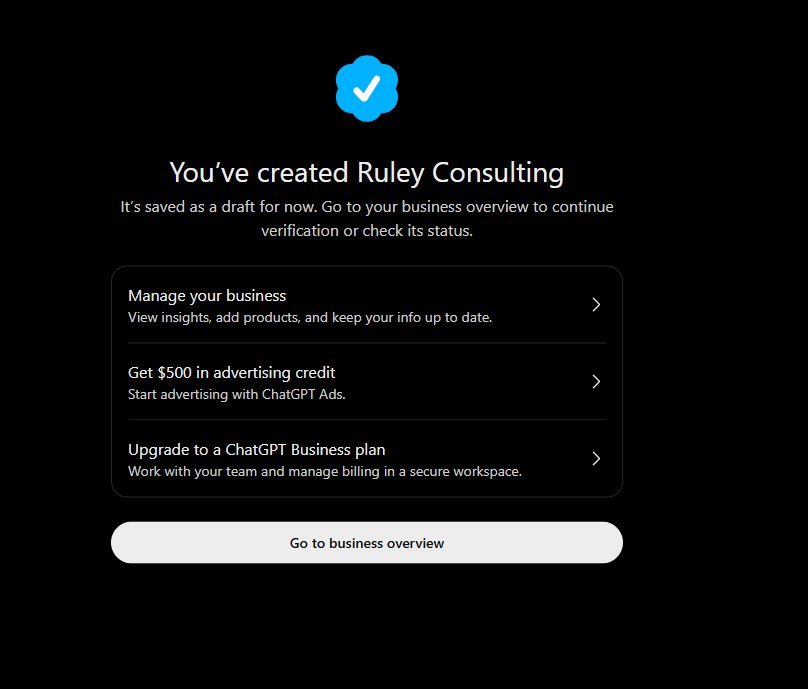
4. You get a draft, and two offers. The confirmation screen says your business is “saved as a draft for now.” It also offers $500 in ChatGPT ad credit and an upgrade to a paid ChatGPT Business plan. Neither affects your listing.
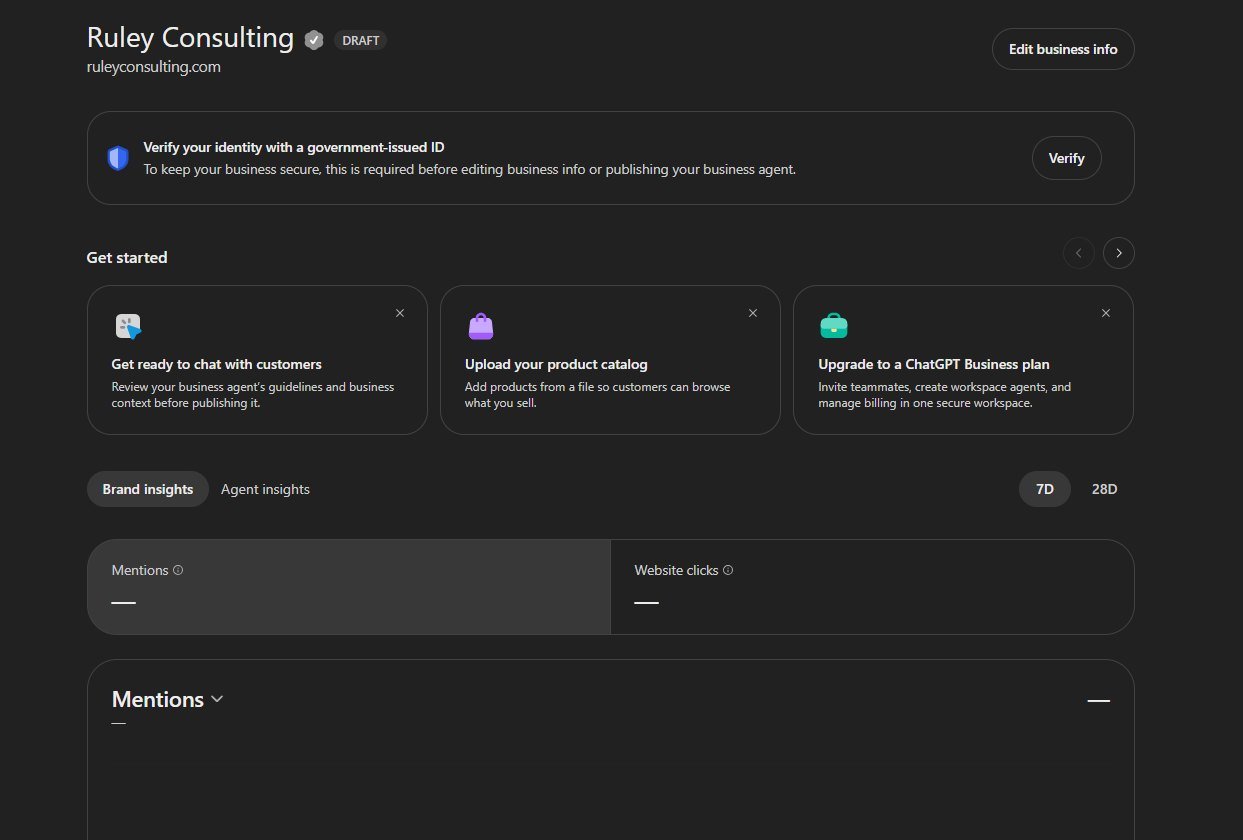
5. Verify your identity before anything goes live. The business overview shows your listing as a Draft, with empty mention and click charts. To edit your business info or publish an agent, OpenAI requires you to “verify your identity with a government-issued ID.”
Where I stopped
The identity check is run by Persona, a third-party verification company OpenAI also uses for its developer platform (OpenAI Developer Community). Here’s how it went for me:
- A QR code moved me to my phone to photograph a driver’s license.
- Then a selfie, to match the face to the ID.
- Once those passed, it asked for business details: a physical address and a tax ID.
Others report the same steps, including that PO boxes aren’t accepted (Brandon Dendas). For a business run from home, the physical address is a home address. For a sole proprietor without an EIN, the tax ID is your Social Security number. That’s where I stopped. A photo ID, a face scan, a home address and an SSN felt like a lot to hand over for a free listing in a beta, and nothing in the process said where that information goes or whether the address is shown publicly.
How to decide for your business
There’s no single right answer. It depends on what you’d get and what you’re comfortable sharing.
It’s probably worth finishing if:
- You sell products online and want them to show up with prices and details in ChatGPT.
- You’re a US online service business that wants the business agent.
- You have a storefront or office address that’s already public, and an EIN.
It’s reasonable to wait if:
- You run the business from home and don’t want your home address on file.
- You’re a sole proprietor with no EIN and don’t want to give your SSN.
- You mostly want the analytics, which are thin for now: no prompts, no rankings and a note that clicks “don’t confirm website visits.”
If you want to try without your SSN, the form asks for a tax ID, and businesses with an EIN give that instead. A sole proprietor can get a free EIN from the IRS online in a few minutes. I haven’t tested whether a brand-new sole proprietor EIN passes verification, so treat it as worth trying, not a sure thing. Use a business address if you have one.
FAQ
Is it free to claim your business in ChatGPT?
Yes. Claiming and the business agent are free during the beta. ChatGPT ads and the ChatGPT Business plan cost money, but you don’t need either.
Does ChatGPT need a listing to recommend my business?
No. ChatGPT already describes businesses using what it finds on the web. Before I claimed anything, it described Ruley Consulting’s services accurately from my website. A claimed listing adds analytics and control; it isn’t the only way in.
What happens if I stop partway through?
Your listing stays a draft. Nothing is published, and you can come back to it later.
What if someone else already claimed my business?
The Hub has a Dispute ownership option on the listing’s menu (Delta V Digital).
What I don’t know yet
- Whether a brand-new sole proprietor EIN passes verification in place of a Social Security number.
- Whether the home address you enter is ever shown publicly.
- Whether a claimed listing gets mentioned more often than an unclaimed one.
- When business agents will open up to local businesses.
I’ll update this post as OpenAI answers these.
The full SEO audit includes an AI visibility check: whether ChatGPT and Google’s AI tools mention you, and what they say.